 JobNote
QR labels with your name on
Every barrier, boiler and panel you look after tells people who to call.
- No card needed
- No setup fee
- No contract
What's on the label
A QR code and a seven-character code, "Serviced and maintained by" with your logo or firm name, and your phone number. The code avoids letters and numbers that look alike, so it can be read out if the QR is damaged.
Who scans it, and what they get
- Your engineers: the equipment opens in the app with its history and the right checklist.
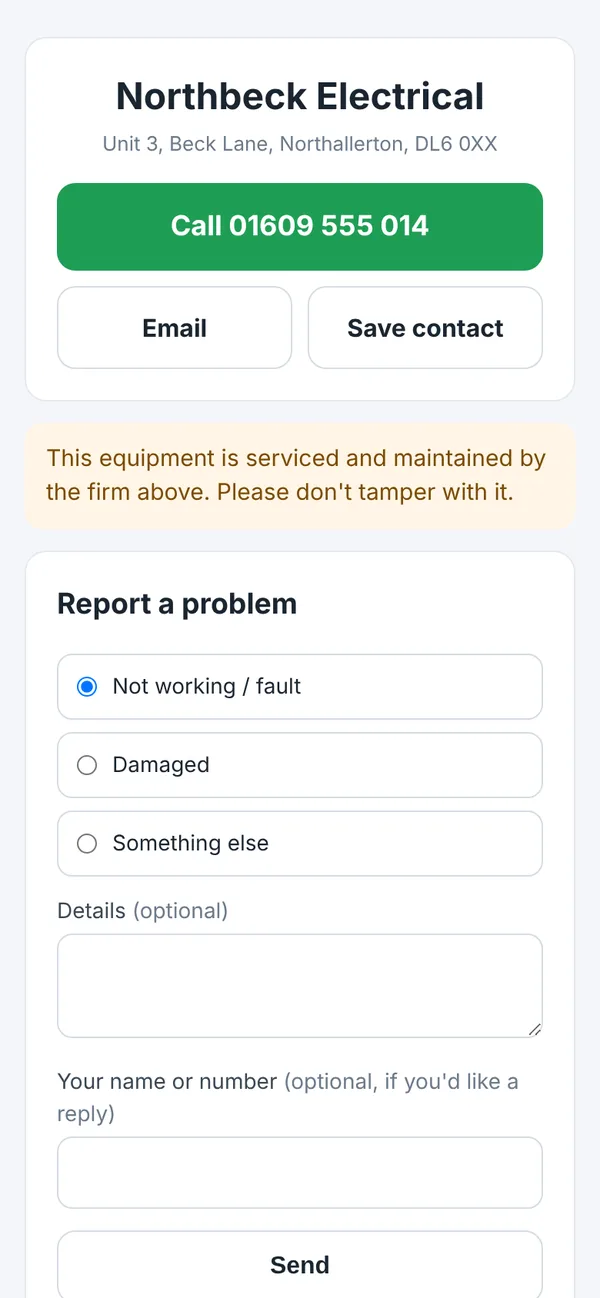
- Anyone else: your firm's details, with buttons to call, email or save your contact, and a form to report a fault.
- Your customer with a login: the service history for that equipment.
Printing
Print on A4 sheets of standard Avery-size labels, or on 50 mm and 62 mm label-printer rolls. You can also print site signs and keep blank labels in the van to give new equipment a label on the spot.
Replacing a label
If a label gets damaged, swap it for a new one. The old code is retired: it no longer opens the equipment, and anyone who scans it just gets your contact details. The history stays with the equipment.
Try it on your next job
Free for everyone during the beta. Signing up takes a minute: your name, your company, an email and a password.