 JobNote
The app your engineers will actually use
Big buttons, plain words, and only what you need on site.
- No card needed
- No setup fee
- No contract
What's in it
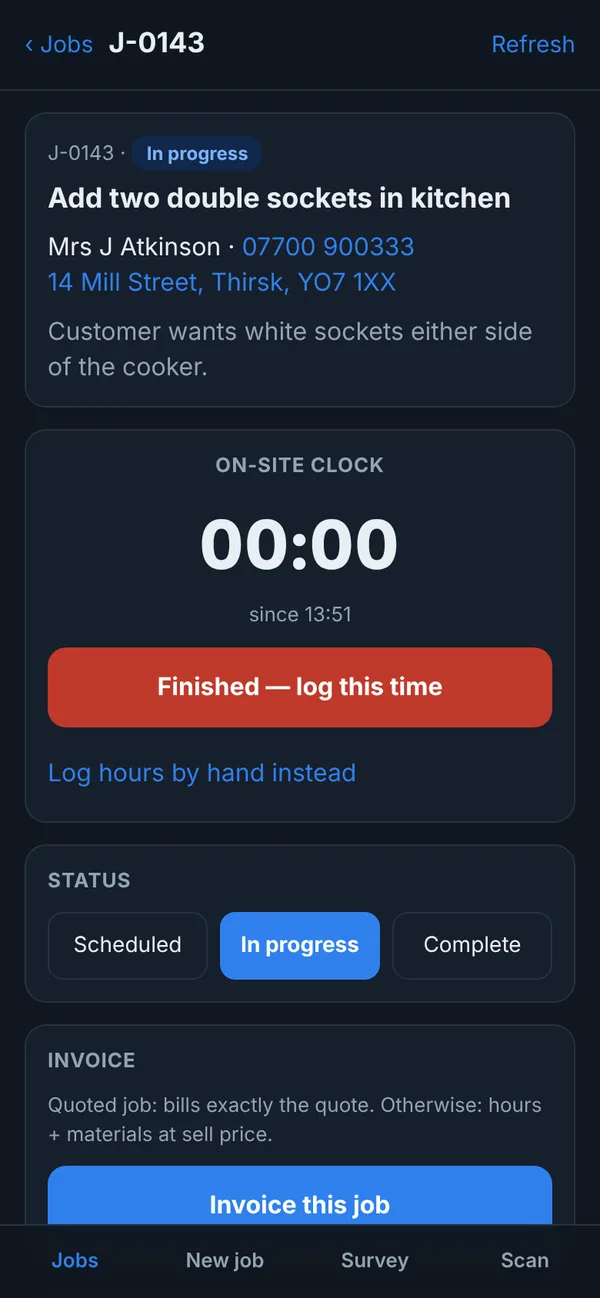
- Jobs: your jobs with the customer's number and address. Tap to call or get directions.
- On-site clock: tap when you arrive and when you finish. The time goes on the job.
- Parts: pick from the firm's price list, or book out something you bought with the cost and supplier.
- Survey and quote: price a job in front of the customer and send the quote, or start the job straight away.
- New job: take on a new customer and job on the spot.
- Scan: scan a JobNote label to open that equipment, its history and its checklist.
- Service records: checks, readings, photos and the customer's signature.
- Invoice: if the firm switches it on, invoice the job from the phone.
- Support and feedback: message us from inside the app.
What engineers don't see
Engineers work in the phone app and can't open the office screens, so your price list, margins and invoices stay in the office. They do see the cost of parts booked on their own jobs.
No app store needed
JobNote runs in the phone's browser and adds to the home screen like any other app. It works on iPhone and Android, and updates itself, so nobody is stuck on an old version.
Poor signal on site
Service records and their photos are kept on the phone until there's signal. They send next time you open the app with signal, or straight away if it's open when the signal comes back. The app tells you if something is waiting to send.
Try it on your next job
Free for everyone during the beta. Signing up takes a minute: your name, your company, an email and a password.