 JobNote
What JobNote does
Everything below is built and working today. Things we haven't built yet are on the roadmap, not here.
On the phone
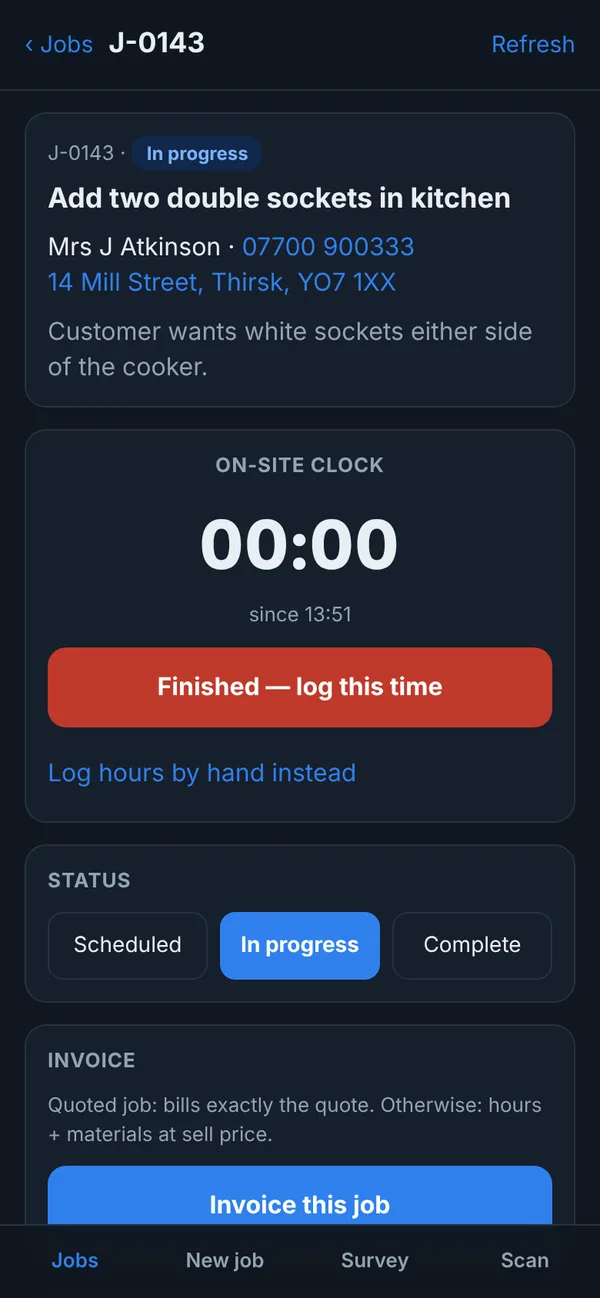
- Your jobsYour open jobs with the customer and address, and the notes on each job. Change the status as you go.
- On-site clockTap in, tap out. Or put the hours in by hand.
- Parts and materialsPick from your price list, or book out something you bought, with the cost and where from.
- Quote on sitePrice it in front of the customer and send them the quote there and then. Or start the job straight away.
- New customers and jobsTake on a job on the spot without ringing the office.
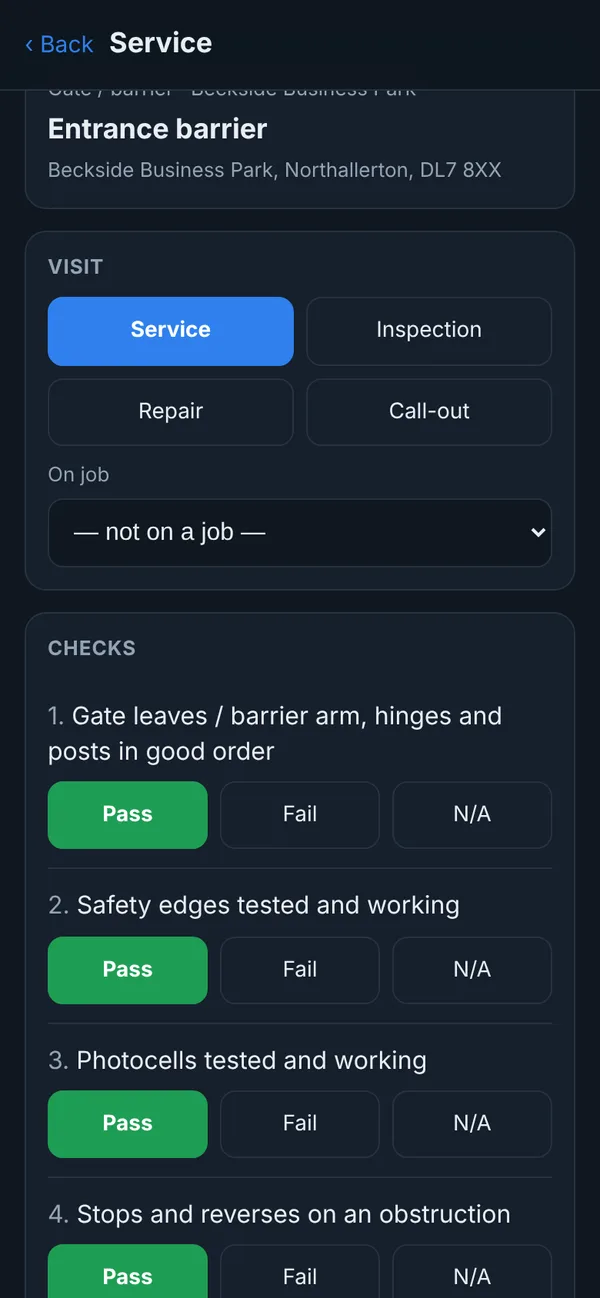
- Service recordsChecklists, readings, photos and the customer's signature.
- Invoice the jobIf the firm allows it, the engineer can invoice from the phone.

In the office
- Customers and sitesA customer can have several addresses. Import your existing list from a spreadsheet.
- Jobs and job costingLabour at each engineer's rate, parts with cost and sell price, and the quote next to what's been booked.
- QuotesThe customer accepts or declines online. An accepted quote becomes a job in one click.
- InvoicesFrom a job or from scratch, with VAT if you're registered and your bank details for payment.
- Price listYour materials with cost and sell prices. Import it from a spreadsheet.
- TeamOwner, office and engineer logins. Engineers use the phone app and can't get into the office screens.
- ServicingEquipment, service intervals, what's due, checklists and every record.

For your customers
Quotes they can accept
A link to a clear quote with an accept and a decline button. You see the answer straight away.
Quotes and invoicesRecords with a PIN
Each service record has its own link and PIN to send the customer. It shows the checks, readings, photos and signature.
Service recordsTheir own login
Give a customer a login and they see all their equipment, every service and the certificates you've attached.
Customer portalSet it up yourself
No onboarding calls and no setup fee. A short "Getting started" list walks you through it, and ticks each step off when it's done.
- Company details, logo and bank detailsSo your quotes and invoices look like yours.
- Import from a spreadsheetCustomers, price list and equipment, from Excel or CSV. Importing the same file twice doesn't make duplicates.
- Put the app on your phoneScan a QR code and add it to your home screen. It works on iPhone and Android.
Try it on your next job
Free for everyone during the beta. Signing up takes a minute: your name, your company, an email and a password.