 JobNote
Run every job from your phone.
JobNote is job management for UK trades, from one person and a van to a firm with a few engineers. Quote on site, log your time, record the service, send the invoice.
- No card needed
- No setup fee
- No contract
Free for everyone during our six-month beta. See the prices after that.

Made for trades that go to site
If you install, service, repair or inspect things and turn up at a customer's door to do it, JobNote fits.
A day with JobNote
These are real screens from the app, with a made-up firm.
Your jobs are on your phone
Open the app and your open jobs are there: customer, address, what's needed. Tap a phone number to call or an address to get directions.
The office books the job and picks the engineer. If it's just you, you book it yourself, on the phone or the computer.
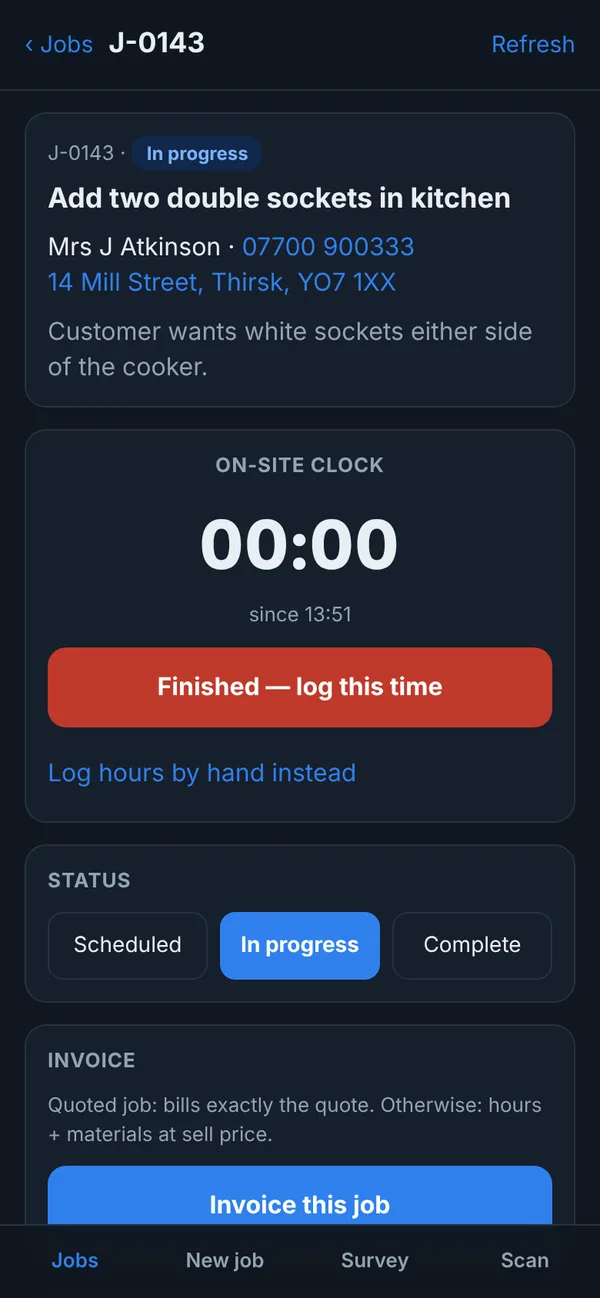
Tap "on site" and the clock starts
One tap when you arrive and one when you leave. The time goes on the job. If the job wasn't quoted, those are the hours on the invoice. Forgot to tap? Put the hours in by hand.
Work through the checklist
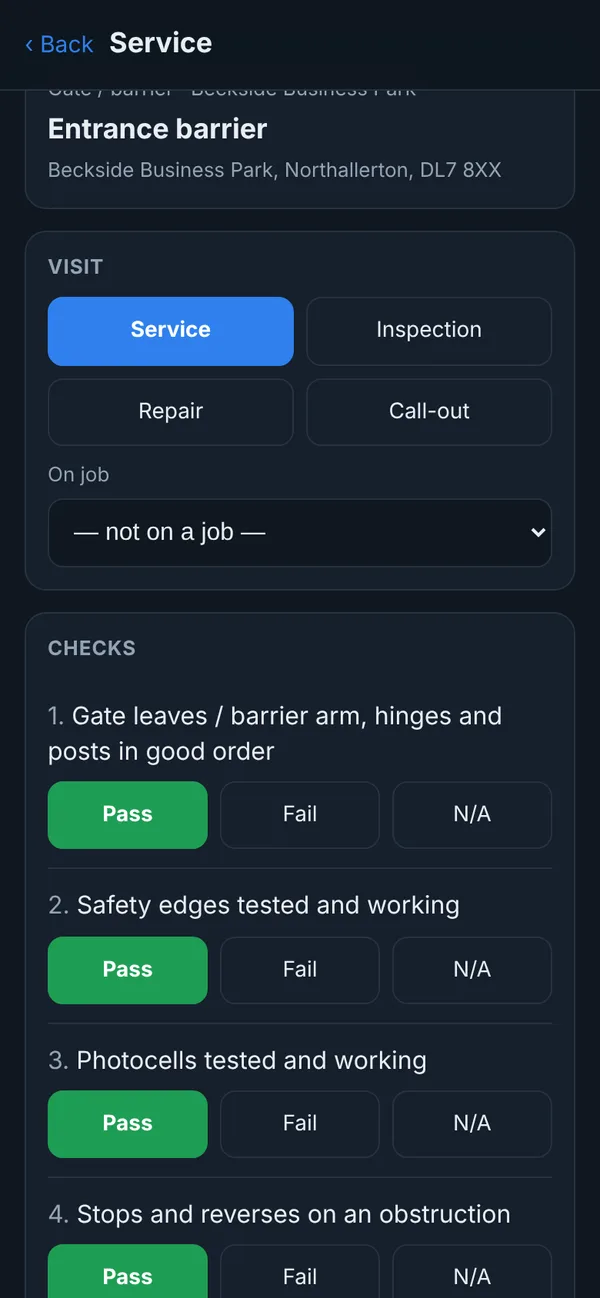
Servicing a barrier, a boiler or a fire panel? Each type of equipment has its own checklist: pass, fail or N/A, readings where you need them, and photos.
Every checklist can be changed to suit how your firm works.
The customer signs on your screen
Their name and signature go on the record. If nobody's there, say why and save it anyway. Once saved, a record can't be edited or deleted.
No signal? The record waits on your phone and sends when you open the app with signal again.

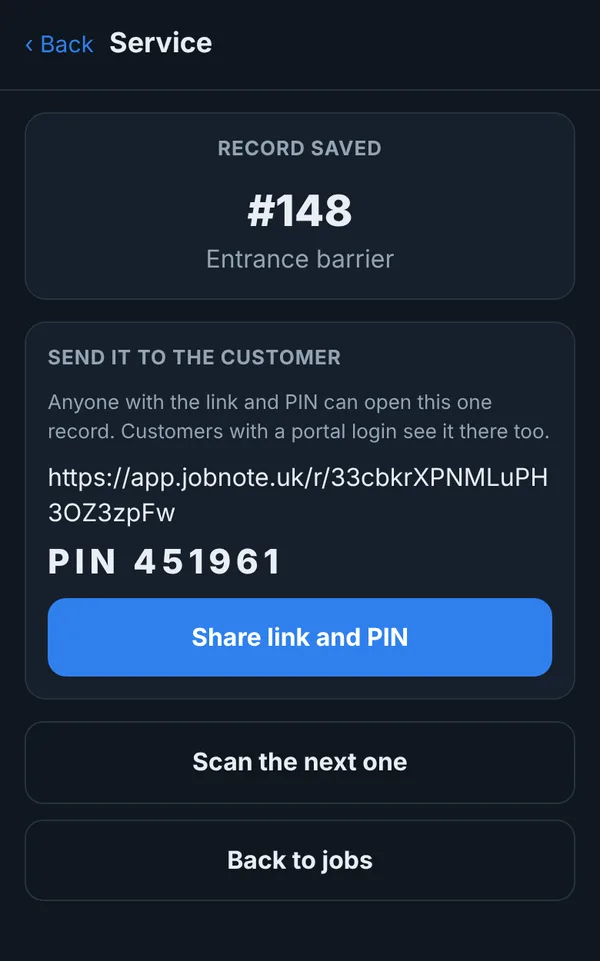
Send the record before you leave the drive
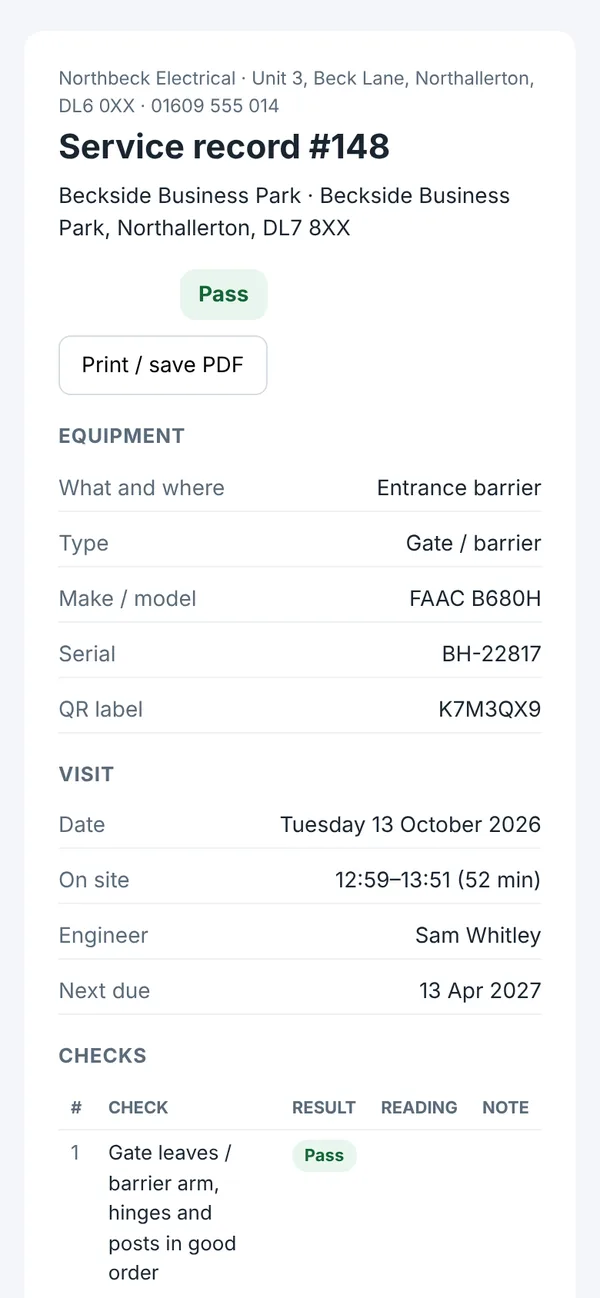
The customer gets a link and a PIN. They see the checks, readings, photos and signature from their own phone. It's their proof the work was done.
Quote tomorrow's work, invoice today's
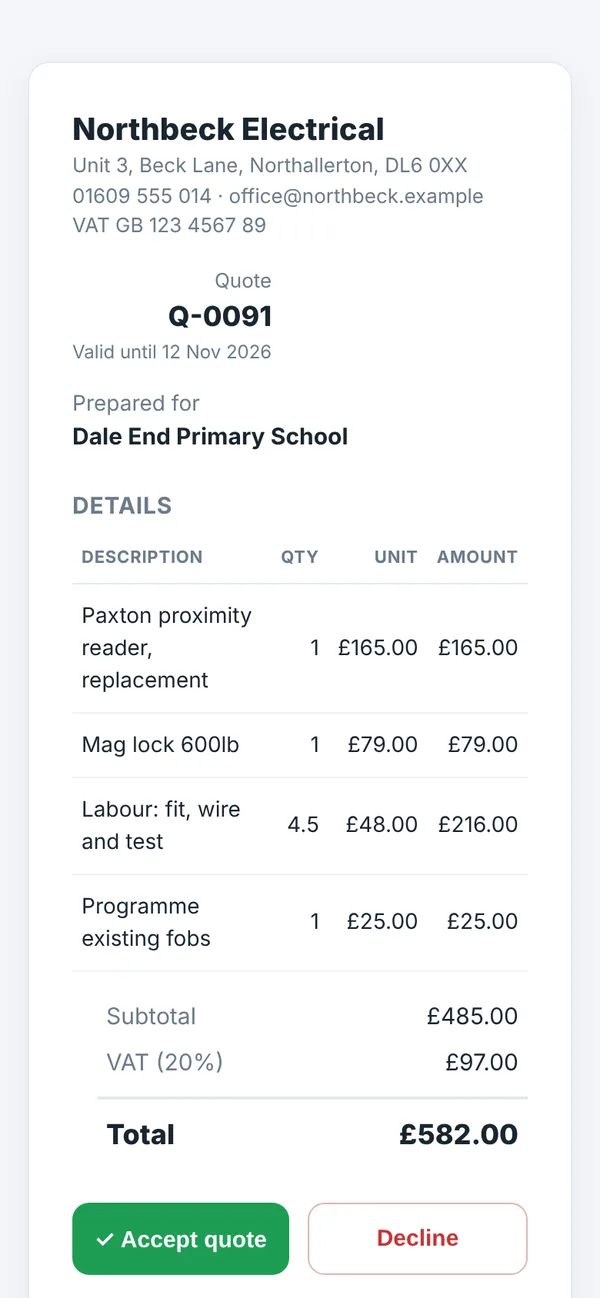
Price up a job and send the quote from the van. The customer accepts it online, and you turn it into a job in one tap. If your firm switches it on, finished jobs can be invoiced from the phone too: a quoted job bills the quote, otherwise it's your hours and parts, plus VAT if you're registered.
The office sees it all
Everything the engineers do turns up on the office screen as it happens.
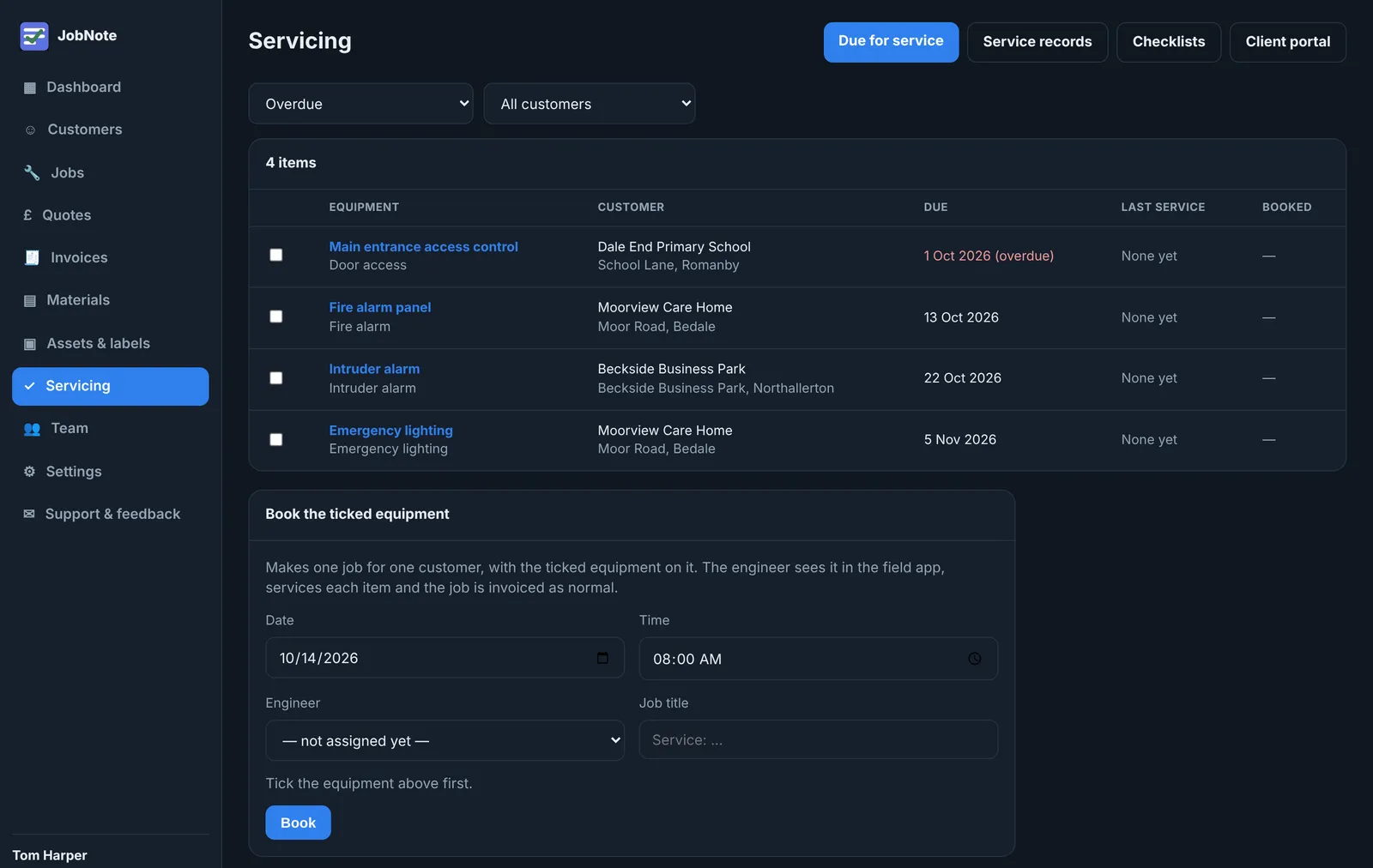
- What's due for a serviceOverdue and due soon, by customer. Tick the items and book them as one job.
- Hours and parts on every jobHours at each engineer's rate, parts with their cost and sell price, and the quote next to what's been booked.
- Parts bought on the wayEngineers book out what they bought, what it cost and where from, so the office can see it and add it to the bill.
Put your name on every bit of kit you look after
Print a QR label and stick it on the barrier, the boiler or the panel.
- Your engineers scan itThe equipment, its history and the right checklist open straight away.
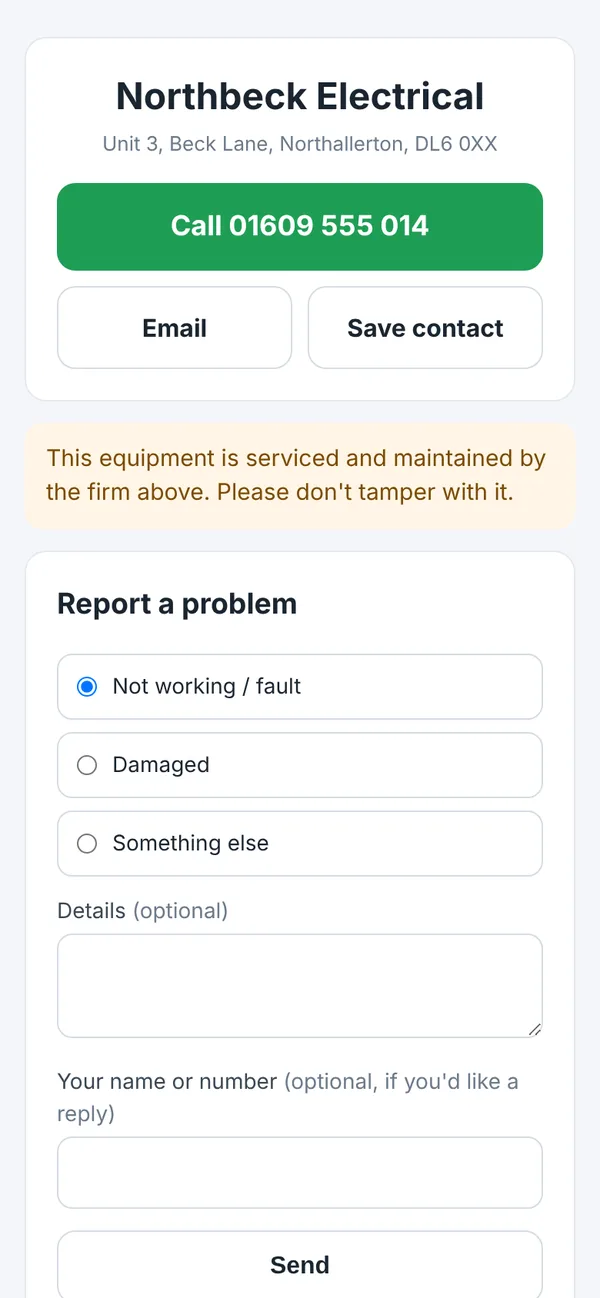
- Anyone else who scans it gets your numberCall you, save your details or report a fault. The report lands in your JobNote, not with whoever fitted it last.
- Your customers keep the historyService records, certificates you've attached and photos, in their own login.
Free while we build it with you
JobNote is in a six-month beta. Every firm that joins gets everything that's built, free, for the whole beta. We want to know what works, what doesn't and what's missing.
No card, no catch
Sign up with your email. There's nothing to pay and no card to give. Before paid plans start we'll email you with the date and the price.
Prices from £10 a month
After the beta you pay per firm. Office logins are free, and two people on the phone app are included. See the plans.
Tell us what's missing
Send feedback from inside the app or email us. See what's coming next.
Try it on your next job
Free for everyone during the beta. Signing up takes a minute: your name, your company, an email and a password.